Sun Path
Sun tracker AR: sun path, sun direction, golden hour, sunrise. Any date. No ads.
Get it on Google Play
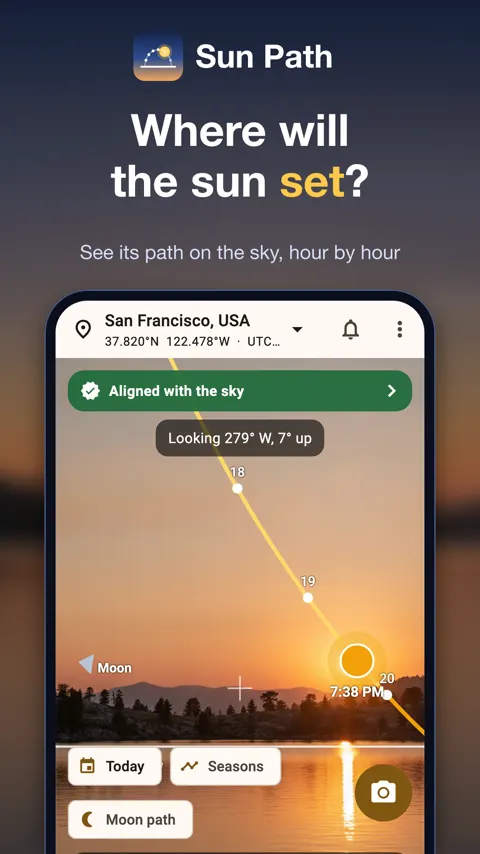
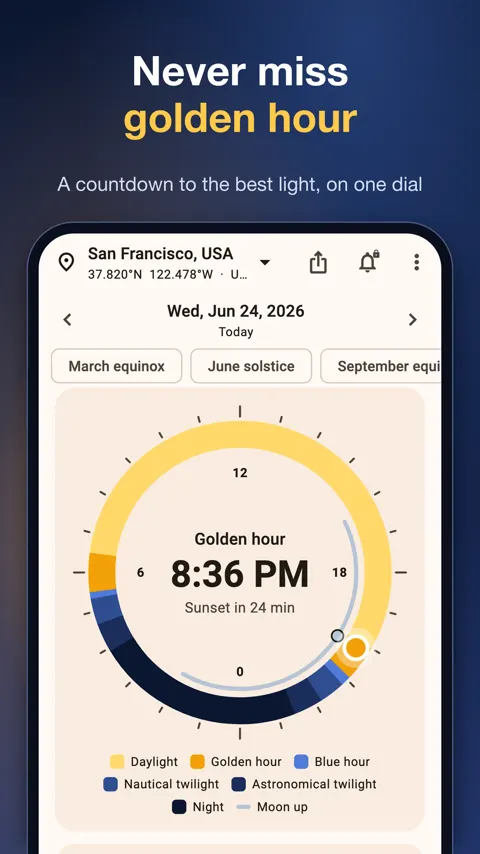
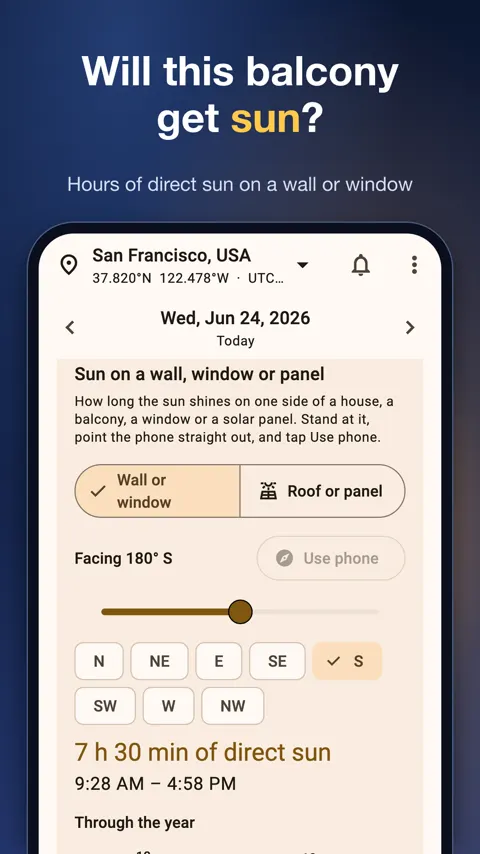
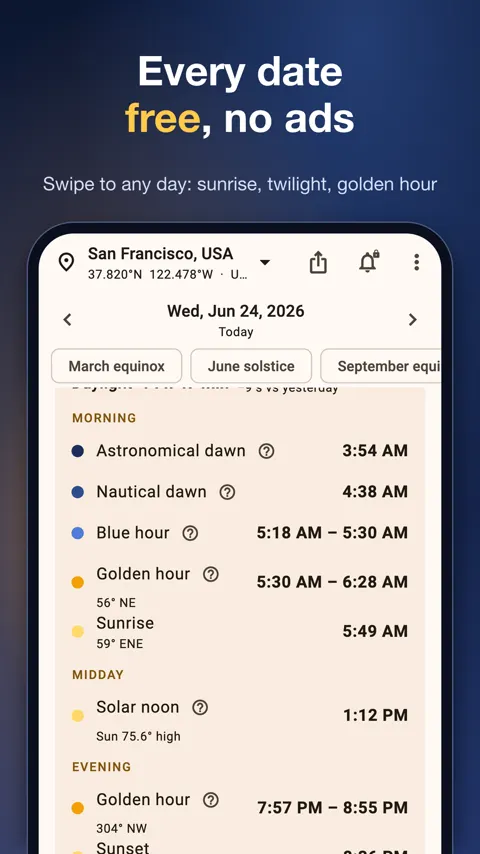
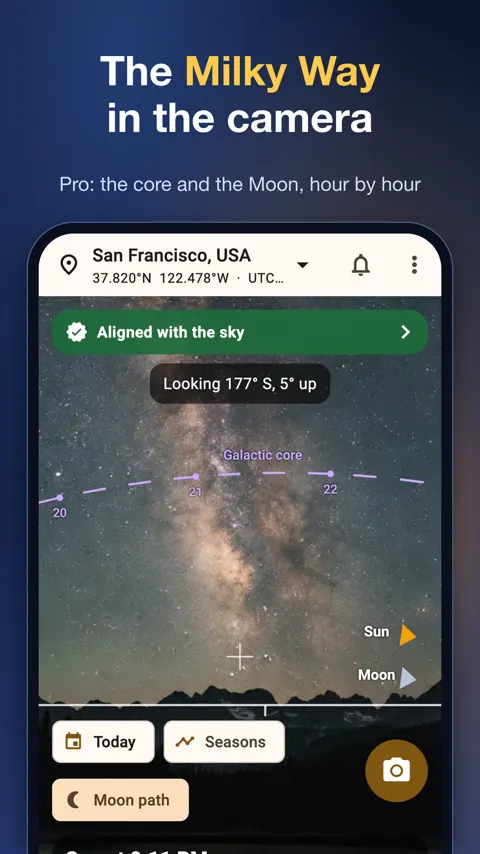
Sun Path shows where the sun and moon are, and when the light is right, for any day and any place. It is for photographers who plan around golden hour, people checking how much sun a house, balcony or solar panel receives, and anyone who wants to know how long until sunset.
Planning a shoot around the light
Photographers talk about blue hour and golden hour, but the exact times shift with the date and the place. Sun Path draws a 24-hour dial with night, twilight, blue hour, golden hour and daylight in colour, with the sun and moon placed on it. A countdown names the next moment that matters, for example “Golden hour in 42 min”. You also get sunrise, sunset, solar noon, civil, nautical and astronomical twilight and day length, each with its direction as an azimuth and a compass point. A ”?” next to any term gives a plain explanation.
Swipe to another day, pick a date, or jump to a solstice or equinox in one tap. Hold up your phone and the AR view draws the sun’s path across the sky with every hour marked. Drag the time bar, or step by 1 or 10 minutes.
Checking sun at home
If you are choosing where to put a table, a vegetable bed or a solar panel, the question is usually how many hours of direct sun a spot gets. Point the phone at a wall, window, roof or panel and Sun Path shows the hours of direct sun and when they happen. You can compare which side of a house or flat gets morning or afternoon sun in summer and in winter, look at the sun’s height and angle through the day, and read the shadow length and direction for every hour, in metres or feet. A month-by-month table lists sunrise, sunset and golden hour.
A compass that admits when it is wrong
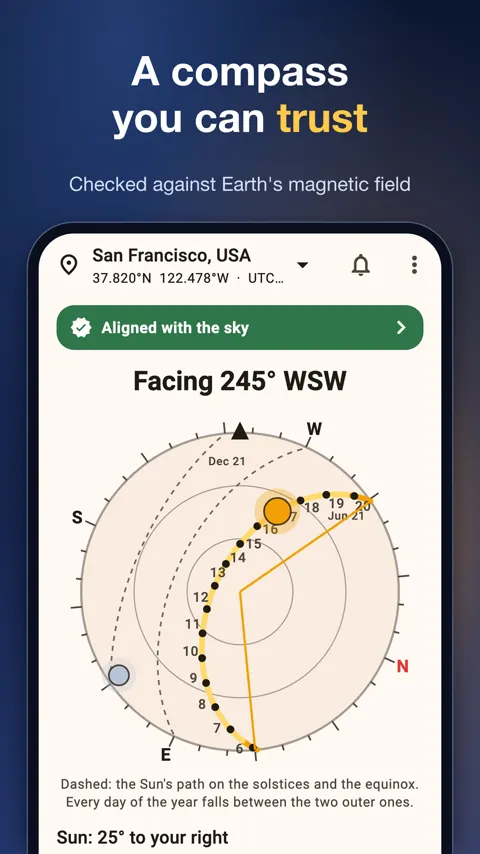
Phone compasses are often off by several degrees. Sun Path checks the magnetic field against the World Magnetic Model and says plainly when the compass is disturbed. You can line the view up with the sun or moon in one tap, or correct it by half a degree.
Moon, Milky Way and eclipses
The app lists moon phase, moonrise, moonset, distance, perigee and apogee, plus a moon calendar with every phase and supermoon. It shows when the Milky Way core is up in a dark sky tonight and where to look. It also lists the next solar or lunar eclipse you can see from your place, checked against NASA’s eclipse tables.
Practical details
A night mode in red helps keep your night vision. There is a share card for any day, a home-screen widget and 13 languages. Everything except the map works offline, with no account and no tracking.
How accurate are the sunrise and sunset times?
Times are computed on your phone from published astronomical formulas and checked against NASA JPL Horizons, with sunrise and sunset accurate to about a minute. Hills, buildings and weather change what you actually see.
Does Sun Path work without internet?
Yes. All times, the compass and the camera view work offline. Only the map needs a connection.
Can I check the sun for a place I am not at?
Yes. Search 34,000 cities offline, type coordinates or paste a Google Maps link. Each place keeps its own time zone.
Is it safe to look at an eclipse with the app?
The app warns you never to look at the sun directly, through a camera, or at an eclipse without certified eclipse glasses.