Ana3D
Explore the human body in 3D: 24 atlases, layers, sections and study tools.
Get it on Google Play
For study only. This does not replace advice or diagnosis from a healthcare professional.
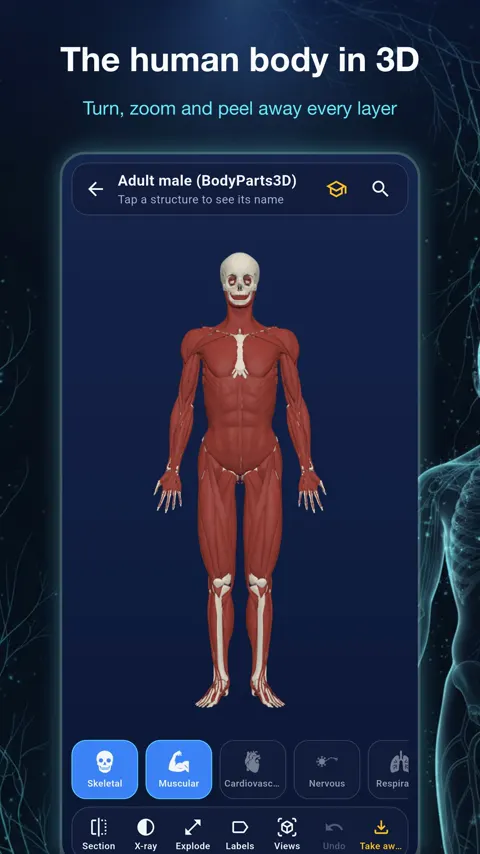
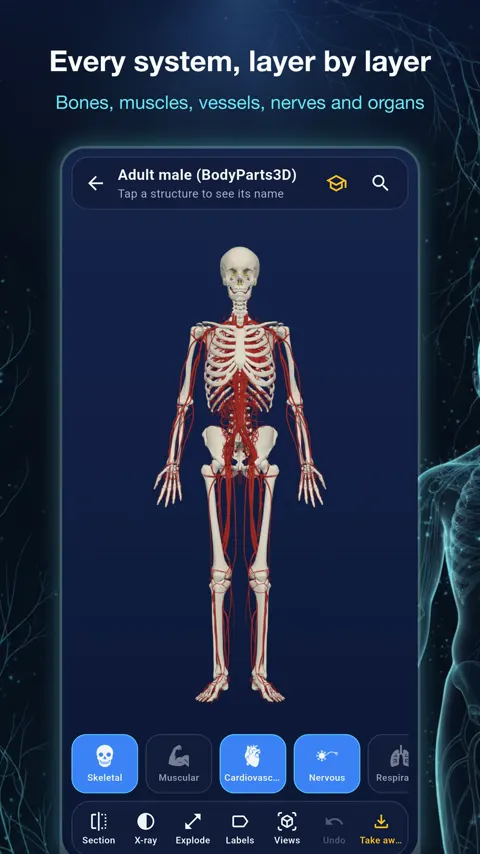
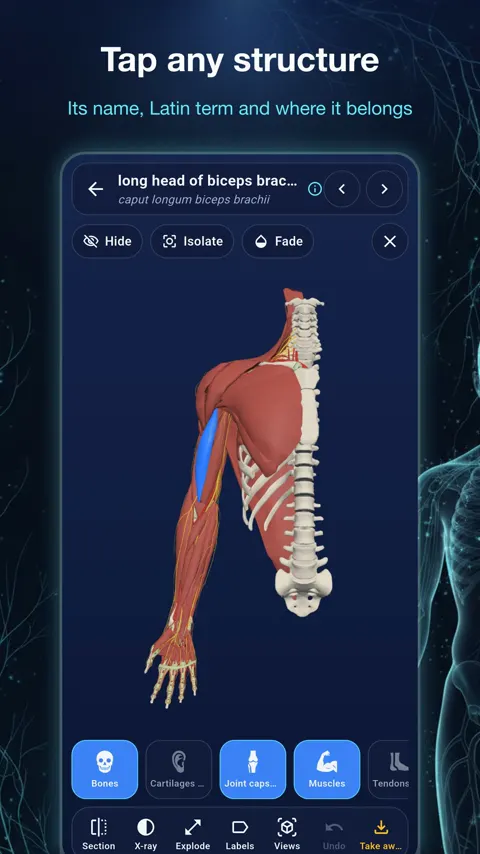
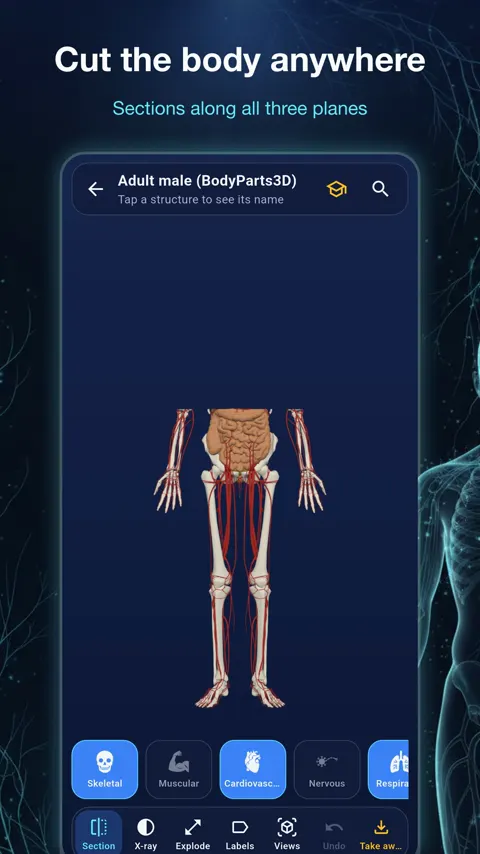
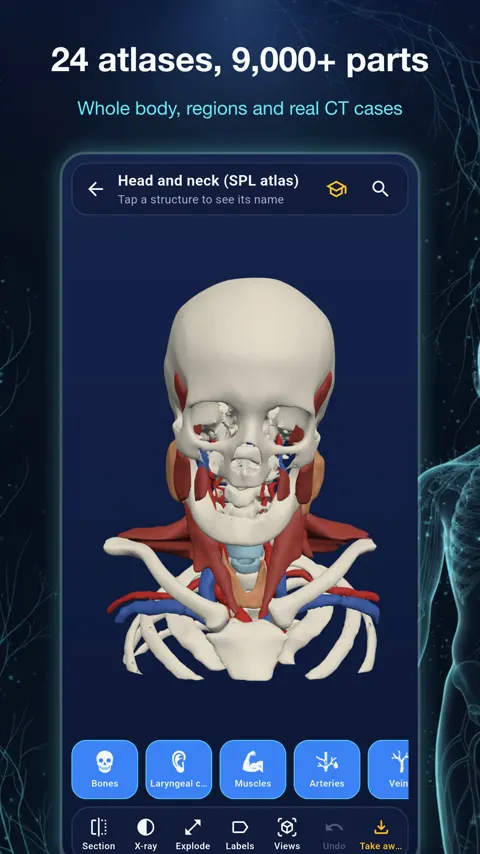
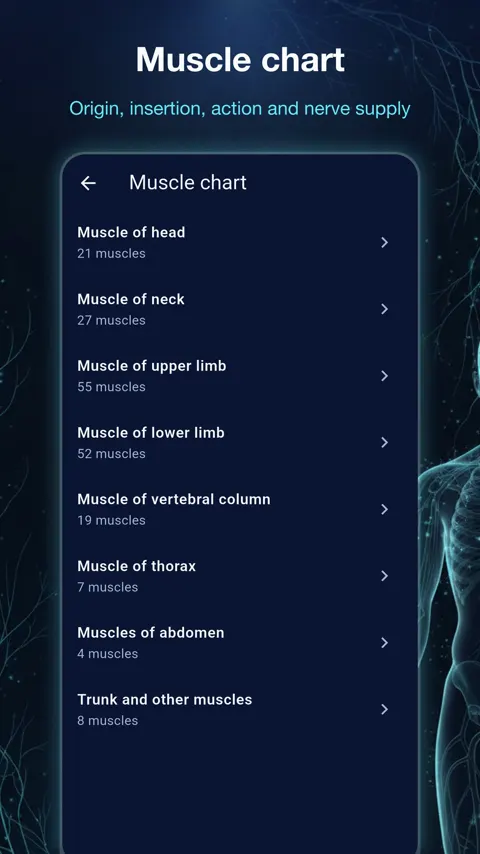
Ana3D is an interactive 3D atlas of human anatomy for students, teachers and anyone who wants to understand how the body is built. Turn the model with a finger, zoom in on a single vessel, switch whole systems on and off, and tap any structure to read its name, its Latin term and where it belongs.
Learning anatomy in three dimensions
Flat pictures hide depth. A nerve running behind a muscle, or a vessel crossing a bone, is easier to understand when you can rotate the model and look from the other side. Ana3D has 24 atlases: whole-body male and female models, regions such as head and neck, upper limb, lower limb, knee, abdomen and brain, and 12 real CT cases. More than 9,000 structures are named.
Peeling back the layers
Body systems work as layers: skeletal, muscular, cardiovascular, nervous, respiratory, digestive, urinary and more. Switch one off to see what lies beneath it. This mirrors how anatomy is dissected and taught, from surface to deep.
Tools for looking closely
- Section: cut the model along any of the three planes and move the cut.
- X-ray: see a structure inside the body around it.
- Explode: pull the parts apart to see how they fit.
- Isolate, hide or fade a structure.
- Labels pinned to the model.
- Search by name in your language or in Latin.
The section tool is useful for connecting 3D anatomy to the cross-sectional images you meet in imaging classes, because you can move a cut and watch what it passes through.
Tools for studying
The study tools include a muscle chart by region, with origin, insertion, nerve supply and action where known. Nerves, arteries and veins are listed with the structures each one serves. Latin terms appear as flash cards by body system. Vertebral levels show what a cut at T4, L1 or any other level passes through, drawn on the model. Organ sizes are measured in real CT cases. A quiz runs on the 3D model itself, and you can make printable revision sheets and tests from the view you have set up.
Teaching with it
Teachers can set up a view, with the layers and labels they want, and turn it into a revision sheet or a test. Students can do the same for their own revision.
Languages and sources
The interface and structure names are available in English, Vietnamese, Spanish, Portuguese, French, German, Indonesian, Thai, Japanese, Korean and Chinese (Simplified). The models come from open scientific sources, each shown with its credit and licence in the app, including BodyParts3D, the HuBMAP Human Reference Atlas, Z-Anatomy and the Allen Human Brain Atlas.
Ana3D is a learning and reference tool, not a medical device.
How many structures and atlases does Ana3D include?
24 atlases, including whole-body male and female models, regions and 12 real CT cases, with more than 9,000 named anatomical structures.
Which languages does it support?
English, Vietnamese, Spanish, Portuguese, French, German, Indonesian, Thai, Japanese, Korean and Chinese (Simplified). Latin terms follow Terminologia Anatomica where the source provides them.
Does it need an internet connection?
The 3D models are downloaded when you open an atlas, so a connection is needed.
Is it a medical tool?
No. Ana3D is a learning and reference tool. It is not a medical device and does not give medical advice, diagnosis or treatment.